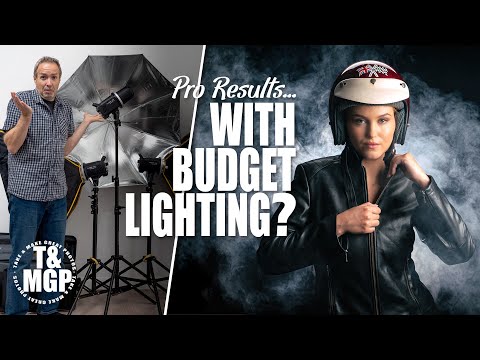
Can a kit of three flashes that cost less than the price of one higher-end studio flash actually be any good? Well, the answer might surprise you! Photographer Gavin Hoey swaps his usual Flashpoint Pro lights and heavy-duty light stands for the BLAZ300 3 flash kit that ships with three compact light stands, a couple of softboxes, and a basic wireless transmitter.
Of course, the best way to test any new lights is but using them on a photo session, so Gavin has three different lighting looks in mind that make use of one, two, and then three flashes.
Starting with a simple one-flash portrait lighting technique, Gavin moves on to show how two lights, and the included softboxes, can give a very dramatic low-key split lighting look.
Finally, Gavin goes all out with a three-light portrait. As Gavin explains, more lights mean you’ll need more time to check they are all mixing together. But once set up, Gavin adds his signature final ingredient… lots of smoke!
Timestamps and Chapters
00:00 Intro
01:20 Camera settings for the whole photo session
02:20 Setting up a one-flash hard light portrait
03:47 Photo session for portraits with one flash
04:18 Best model position for a two-light portrait
06:16 Photo session for portraits with two flashes
06:48 Lowering the power on budget studio flashes
08:30 Working with multiple flash groups
10:30 Photo session for portraits with three flashes and smoke
11:10 Conclusions and Subscribe
SUBSCRIBE AND BE PART OF THE ADORAMA FAMILY:
➥
__________________________________
Be the first to shop our great deals and sales by signing up for emails from Adorama!
__________________________________
✘ PRODUCTS USED:
Flashpoint BLAZ 300-V 300Ws R2 Studio Monolight Flash (3 Light Kit)
OM SYSTEM OM-1
OM SYSTEM M.Zuiko 12-40mm f/2.8 Pro II
CHAUVET Hurricane 1200 Fog Machine
Glow 7″ Reflector
Flashpoint Empty Saddle Sandbag
#budgetlighting #photographylighting #adorama
__________________________________
❐ LET’S GET SOCIAL ❏
➥ TikTok
➥ Facebook
➥ Instagram
➥ Twitter
❐ MORE ADORAMA ❏
➥ Shop
➥ Blog
➥ Live Events
__________________________________
Follow Gavin Hoey on
Model: Chloe
__________________________________
THANKS SO MUCH FOR WATCHING!
Gavin provides a clear and concise overview of this lighting system. Well done.
I still don’t understand how he took a photo and it was pitch black
I know this is a bit old video, but I hope I can get an answer. In the video we can clearly see how the camera is connected via cable to a screen or tablet. Can someone help me to figure this out? how not a laptop? Is is some special screen? or just a tablet with some olympus/oem app? Unfortunately with my a6600 I am forced to use the awful sony imaging edge mobile app if I have to use a tablet and that app is simply useless to see pictures in real time.
Thank you to anyone that takes the time to read/help.
I have binged so many of these videos the past week or so. I feel like Neo, but instead I’m having LIGHTING downloaded to my brain. … “I know flash photography…”
Now we need an actual budget challenge: portrait photography with a pair of Temu led panels. That would be a huge challenge 😅😅😅😂😂😂