Sign up for Luminar Neo:
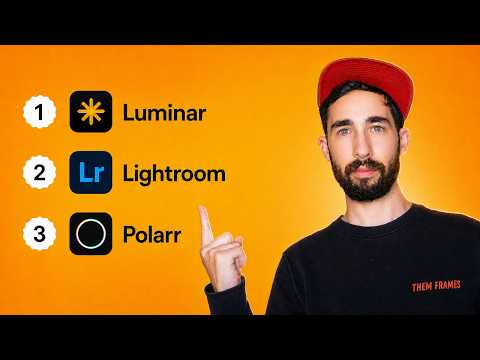
In this video I’m sharing 3 of the best photo editing software, all of which I’ve tried and tested!
Links:
Need cloud storage?
Sing up for pCloud:
Sign up for Internxt:
Chapters:
00:00 Intro
00:32 How I tested
01:16 Why Luminar Neo is the Best
06:29 Lightroom for pros
10:46 Polarr for free users
12:56 Outro


You didn’t show enough examples of what neo could do for me , change a sky and remove a wire ? Blimey , what if there were detailed birds flying , how about showing noise removal on detailed subjects , guess I’ll have to look elsewhere for a more detailed review , cheers Shane uk
Hi Dan. Luminar is on perpetual license on Black Friday. Does it include photo stacking or is that an add-on?
Hi Dan, nice video, thanks. I fully agree with your impression of Luminar, especially that I wont use subscription software, besides that elephant, the MS Office thingy… Traditionally I’ve use Paintshop Pro, probably does 90% of what I could do in Photoshop, and it’s not subscription, still my go-to for detailed work. It lags behind in AI stuff, so I added Luminar Neo.
I have a massive archive, near 500th which nearly overwhelmed me because I was not diligent enough in categorizing stuff in recent years. DigiKam to the rescue, and it’s free! It does an excellent job of managing a huge archive, a bit clunky initially, but easily the best for archive management I’ve found.
If you’re like me, I got a bit paranoid about losing photo’s, so I had so many duplicates in backups. Mindgems has a great Duplicate File Finder, and also a Visually Similar app, finds and gets rid of smaller versions like thumbnails etc (I use a spare HDD drive to save all the deletions to, just in case, paranoid aye!).
Because I import from several devices, I’m looking for a crisp easy import app to cover this, the above apps don’t quite meet my requirements. MS Photo is a nah, any suggestions are welcome. Anyone remember the old MS Gallery app? Gosh it was good, imports were a snap.
I’m usuing Paintshop Pro. Have been doing for years. But it is basically dead and hasn’t been updated for years.
Thanks for the vid! I’m just starting out and I’m gonna look into Polarr and see how it goes